Install before you write.
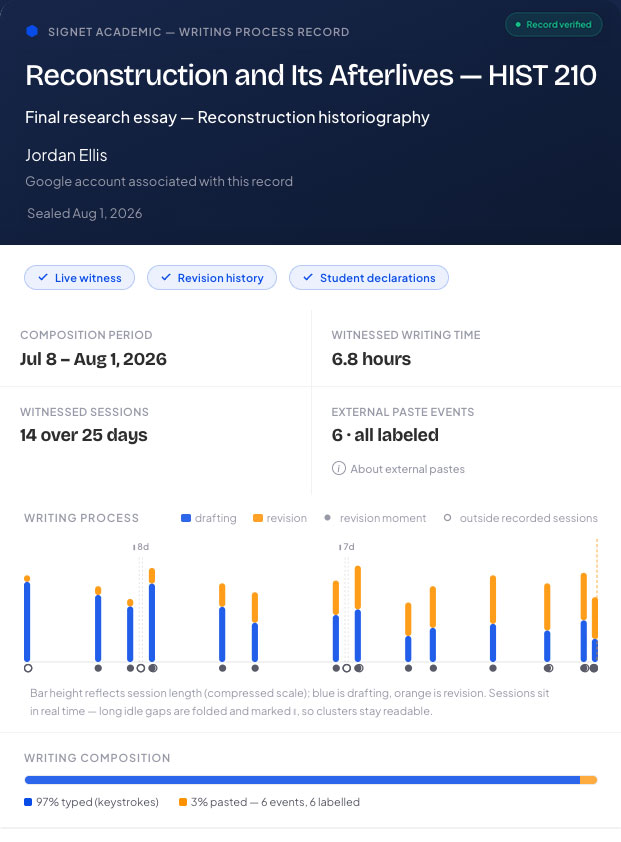
Signet witnesses sessions, edits, pastes, and source labels as they happen. Your finished record is marked Live witnessed.
Signet creates a verifiable record of how your work developed in Google Docs—so you can cite AI use, document your process, and share clear evidence that the work is yours.
Free account · Google sign-in · Google Docs · Open beta
Add the free extension, create your account with Google, and open a Google Doc.
Signet records process signals quietly. When you paste outside material, label the source and how you used it.
Download your Writing Process Record PDF and submission copy, then share the permanent online link.
Signet witnesses sessions, edits, pastes, and source labels as they happen. Your finished record is marked Live witnessed.
Rewind builds a clearly labeled Reconstructed record from your existing Google Docs revision history.
During live writing, Signet records timing and activity counts—not a continuous copy of your document or the keys you press.
Optional paste reminders keep only a short beginning-and-end excerpt until you annotate it, and expire after 60 days. Rewind and revision views are included only when you choose those features.
Read the privacy policy